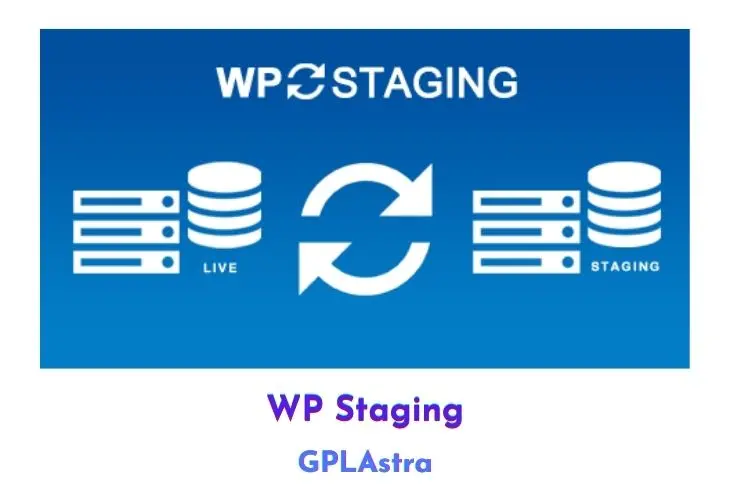
WP Staging Pro v6.13.1 Plugin

WP Staging Pro is a premium WordPress plugin that offers a convenient one-click solution for creating staging sites. A staging site is a separate, development version of your live site that you can use to test out changes, updates, or new features before making them live.
With WP Staging Pro, you can easily clone your WordPress site and create a staging version with just one click. Once you’ve made your changes on the staging site, you can then use the plugin to easily copy them over to your live site, giving you the ability to test and preview changes before making them visible to your visitors. This is a useful tool for website administrators who want to ensure that updates and changes to their site are thoroughly tested before going live.
Core Features of WP Staging Pro Plugin
- Copy the database and files from the staging site to the live site with one click.
- Exclude specific database tables and folders from the copy process.
- Fast cloning process, even for large websites.
- User roles authentication to ensure that only authorized users have access to the staging site.
- Simple to use, with a user-friendly interface.
- Pushes all modified data and files from the staging site to the live site in an easy and efficient manner.
What’s New (Changelog) in WP Staging Pro v6.13.1
= 6.13.1 =
* New: Back up a staging site automatically before you update it, so an update that goes wrong can be undone. (Pro) #1873
* New: Repair a damaged backup from the command line. Everything still readable is written into new backup files you can restore. (Pro) #2255
* Enh: Describe the command line tool by what it does for Developer and Agency plans: pull a live site to your computer with one command. #6031
* Enh: Never delay an update on a staging site. A staging site is where updates are meant to be tried out. #6028
* Enh: Plugin updates now start the moment you click update. The recovery backup runs behind them and a panel in the corner reports it. #6028
* Enh: Rename the free plugin on WordPress.org so people searching for a backup plugin find it. #5205
* Enh: Run backups and cloud uploads through the same background engine, so a long job is less likely to be interrupted. #5950
* Enh: Switch Update Protection off in one click from that panel. A backup the updates are waiting on is cancelled with it. #6028
* Fix: A restore no longer breaks sites whose plugins link database tables to one another. #5244
* Fix: Block backups and restores on PHP versions we have not tested yet, starting with PHP 8.6. #5494
* Fix: Create and push a staging site faster on tables whose rows hold a lot of data. #5986
* Fix: Delete only the tables that belong to the staging site when it lives in its own database. #6088
* Fix: Delete the temporary plugin folders a restore leaves behind once they pile up, instead of letting them fill the disk. #1598
* Fix: Ignore tampered entries in the active plugin and login session lists while pushing. (Pro) #5411
* Fix: Keep cloud storage credentials out of System Info and the log files, and check the storage settings before they are saved. #6001
* Fix: Keep the licence section and other status messages visible when the Disable WP Notification plugin is active. #5880
* Fix: Keep the list of plugins a push has to restore even when no plugin is active on the staging site. (Pro) #5411
* Fix: Name the actual folder paths in the error a restore shows when it cannot move files, on every host. #5943
* Fix: Name the operation that is actually running when Remote Sync is blocked, instead of always saying a sync is already in progress. #5456
* Fix: Never delete a table of the live site during database cleanup, and handle table names that contain special characters. #6005
* Fix: Never delete a table of your live site when a staging site is deleted or its creation is cancelled. #6088
* Fix: Offer to carry on with a restore when the database refuses a table that has two automatic timestamp columns (MySQL error 1293), instead of stopping. #2063
* Fix: Replace the site address in every row of a table when creating or pushing a staging site, including when the database search and replace limit is set low. #5986
* Fix: Report a background job that failed on PHP 8, including a failure on the source site during a Remote Sync pull. #5967
* Fix: Report a finished backup as finished on PHP 7.0 to 7.3, so the staging site update waiting for it can carry on. #6118
* Fix: Save the FTP/SFTP settings when an SSH key is already stored. (Pro) #5920
* Fix: Show an unexpected server response as plain text, so markup inside it cannot run in the WordPress admin. #5990
* Fix: Show what is wrong with cloud storage settings in the page itself, where the message stays readable, instead of in a browser tooltip. (Pro) #5039
* Fix: Start a backup from the Remote Sync window without having to close it first. (Pro) #5063
* Fix: Stop a cancelled staging job writing an error into the browser console. #6011 #5613
* Fix: Stop a fatal error on the staging site when the login form cannot start up. #6079
* Fix: Stop an error when the progress window is closed while a job is still reporting into it. #6049
* Fix: Stop backup, restore and Remote Sync logs repeating every line, which duplicated entries and made the log files far larger than they should be. #5330
* Fix: Switch the database's foreign key checks back on after deleting tables, even when the previous setting could not be read. #6019
* Fix: Update the Start Upload button as soon as a cloud storage is selected. (Pro) #5950
* Fix: Use the correct table prefix when pushing with the Classic engine, keep the Desktop link inside its banner, and allow a backup to be cancelled only once preparation has finished. #6061
* Fix: WP Staging Free now says the daily backup runs at 12:00 midnight, not noon. #6018
* Fix: Wait as long as the cloud storage asks for when it limits the upload rate, instead of failing the upload. (Pro) #6038
* Fix: Write settings and user data safely to the database when pushing, so an unusual value cannot change the query it is written with. (Pro) #5411
* UX: Make WP Staging Desktop easy to find on the Staging screen. Developer and Agency plans get a link beside the local site action, every other plan a discovery card. The label under the local site button reads "CLI" where that link sits next to it. #6046
* Tweak: Show the background option only when a backup is being created. #6085
* Dev: Add a rule that a fix for one operating system must not change behaviour on the others. #6069
* Dev: Add a skill that keeps the Free vs Pro marketing copy in step with what the plugin can do. #6016
* Dev: Add the Free vs Pro comparison document the website and the in-plugin upgrade table are built from. #5235
* Dev: Assert the polled listing count in the cloud storage integration tests. #6050
* Dev: Correct the licence matrix, which said the free plugin cannot schedule backups when it schedules one daily backup. #6083
* Dev: Document dispatching a single CI shard instead of re-running a whole test suite. #6034
* Dev: End the release procedure with a team note for Slack. #6060
* Dev: Give a pull request a subject label derived from its branch type when its issue has none. #6006
* Dev: Give the development nginx its own address on macOS instead of the bridge gateway. #5965
* Dev: Keep the release changelog intact when the prepare phase runs more than once. #6126
* Dev: Let the process log and update notification specs wait for the page they drive. #6120
* Dev: Let the work-on-issue skill open its own GitHub issue when the request arrives as prose, and provision a worktree with no dependencies or build. #6032
* Dev: Mark wp.org release notes resolved and keep entries that mention Pro as written. #6057
* Dev: Prevent a root-owned core cache from blocking worktree provisioning. #6055
* Dev: Remove the deprecated WpDefaultDirectories::getExcludedDirectories() method. #5478
* Dev: Run the Pro end-to-end suite once, after the review fixes, and keep the rule for that ordering in one place. #6015
* Dev: Run the Slack notification test without a web server. #6052
* Dev: Skip Jetpack in the wordpress.com test fixture on PHP versions it no longer supports. #6119
* Dev: Write down the Free and Pro boundary: Free previews a Pro feature, only Pro implements it. #6091
WP STAGING | PRO Backup & Cloning | Full Changelog:
[https://wp-staging.com/wp-staging-pro-changelog/](https://wp-staging.com/wp-staging-pro-changelog/)
Similar Plugins
Please, update to latest version.