uiXpress v1.5.3 Plugin
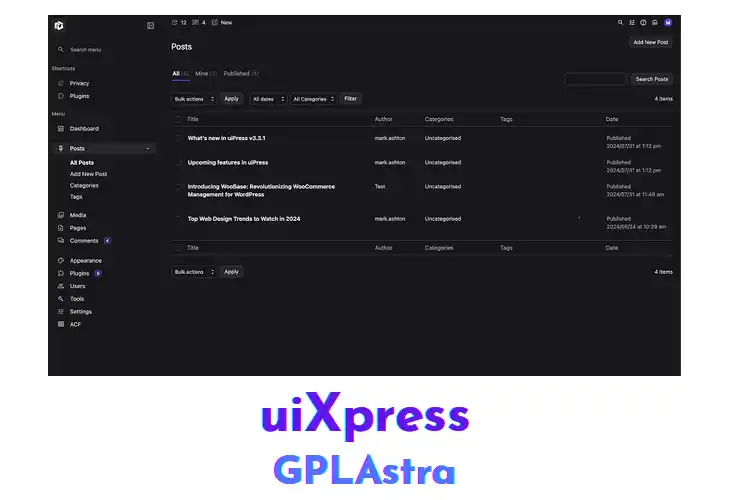
uiXpress is a WordPress admin theme that replaces the default backend interface with a streamlined, high‑performance design. Site administrators and developers benefit from a cleaner layout, faster load times, and a set of UI enhancements that simplify navigation. The theme introduces a customizable dashboard, collapsible side menus, and scalable typography, allowing users to tailor the backend appearance without altering core files. Its lightweight architecture ensures minimal impact on server resources while delivering a more polished control panel.
Within typical development workflows, uiXpress integrates seamlessly after a standard WordPress installation. Administrators can activate the theme and immediately notice a responsive admin panel that adapts to various screen sizes, making remote management on tablets or laptops practical. Compatibility with popular plugins such as WooCommerce and Yoast SEO preserves existing menu structures, while the built‑in color picker lets each user assign a personal palette. The theme respects role‑based permissions, displaying only relevant sections for editors, authors, or super admins.
Core Features of uiXpress Plugin
- Custom Dashboard Widgets: Allows adding, removing, and arranging widgets on the admin home screen.
- Collapsible Side Menus: Enables users to hide or expand menu sections to conserve space.
- Responsive Backend Layout: Adjusts the admin interface automatically for tablets, laptops, and desktops.
- Color Scheme Picker: Provides a palette selector for administrators to apply personal color themes.
- Scalable Typography Settings: Lets users modify font sizes and families across the dashboard.
- Login Screen Branding: Replaces the default WordPress login page with a customizable logo and background.
- Role‑Based Menu Control: Shows or hides menu items based on user capabilities.
- RTL Language Support: Mirrors the interface for right‑to‑left language environments.
- Gutenberg Compatibility Layer: Ensures the admin theme works alongside the block editor.
- Performance Optimized CSS: Loads minified stylesheets to reduce backend load times.
- Icon Library Integration: Supplies a set of vector icons for menu and toolbar items.
- Admin Toolbar Customization: Allows adding or removing shortcuts in the top toolbar.
- Plugin Compatibility Mode: Detects and adjusts styling to avoid conflicts with major plugins.
What’s New (Changelog) in uiXpress v1.5.3
= 1.5.3 =
* Released 20th October 2026 *
Fixed potential broken font issue on the login page.
Fixed issue with options-connectors.php page
Fixed styling issues on bricks builder settings pages
Fixed uiXpress updates from Dashboard > Updates and bulk plugin updates reporting success without installing the new version
Fixed bulk plugin/theme updates leaving the site stuck in maintenance mode if the update page was closed mid-update
Fixed the bulk update progress iframe loading twice, which ran every update twice and caused "Another update or rollback is already running" errors
Fixed the bulk update progress staying blank until the update finished on nginx servers
Similar Plugins