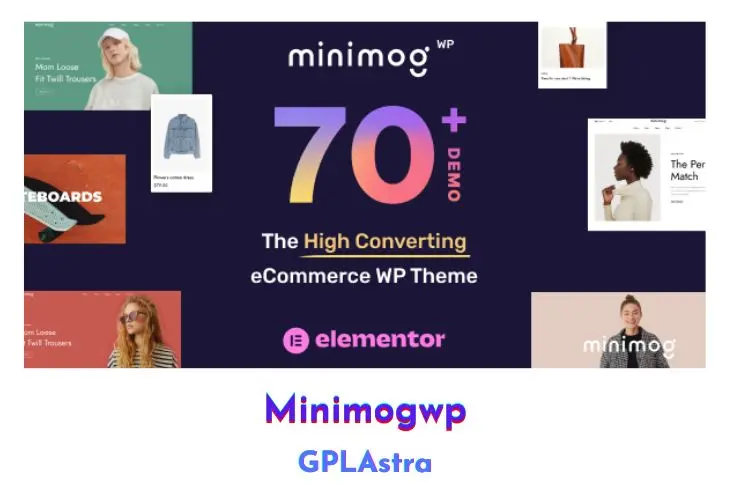
MinimogWP v1.8.8 WordPress Theme

Minimog represents the pinnacle of WordPress themes, embodying the next generation of high-converting and extensible design. With Minimog, launching your website is a breeze, thanks to its intuitive interface and comprehensive set of features. This ultimate solution comes fully equipped with an array of eCommerce features that unlock your store’s full potential, all without the need for any additional fees. The best part? It’s completely free, offering unparalleled value for those seeking to establish a powerful online presence without breaking the bank.

NameMinimogWP
TypeWordPress Theme
Version1.8.8
LicenseGPL v2
Last Updated
Live DemoView Demo

Core Features of MinimogWP WordPress Theme

  • Free 100% with no hidden fees
  • Highest-converting design for optimal performance
  • Extensible functionality to accommodate diverse needs
  • Bundle of eCommerce features included at no extra cost
  • Easy setup and intuitive interface for quick deployment
  • Comprehensive set of tools to empower your online store
  • Seamless integration with popular eCommerce platforms
  • Customization options to tailor the theme to your brand
  • Responsive design for optimal viewing on all devices
  • Built-in optimization for improved search engine visibility
  • Ongoing updates and support to ensure long-term success

What’s New (Changelog) in MinimogWP v1.8.8

v4.5.1 - Sep 12th, 2026
Added:
Shop sidebar: with Sidebar 1 Off-Canvas set to Only Mobile, the filters button can sit in the shop toolbar instead of floating at the screen edge; pick the mode under Theme Options > Shop > Archive Product > Sidebar 1 Mobile Toggle (Floating stays the default). The floating button steps in on pages without a toolbar, and neither is printed when Sidebar 1 is None (new filter minimog/page_sidebar/1/off_sidebar/floating_button, and /2/).
Updated:
WPC Frequently Bought Together plugin v.8.0.0
WPC Product Bundles plugin v.8.6.5
WPC Smart Wishlist plugin v.6.1.0
WPC Product Tabs plugin v.4.3.3
A variation moved across to WooCommerce's gallery will not show it on Minimog 4.5.0 or older, which reads only the theme's own storage; the images remain, and are listed in the WooCommerce field.
Saving a variation through WooCommerce's gallery field also writes its variation image: its own where it has one, otherwise the parent product image, and only failing both the first gallery image.
Anything relying on the copies of the gallery WooCommerce leaves in the page for its own variation script - a custom script, or a child theme reading them - should return true from minimog/variation_gallery/keep_core_html, which puts them back.
Colours emptied by Redux 4.5.14 before this update do not come back with it - the theme stops it happening from here on, it cannot recover what was already cleared. What it does do is draw those places in its own default colour again instead of leaving them with none, so the site reads properly the moment you update. To get your own colours back, look over Theme Options and re-pick anything that has gone blank, or restore a backup under Theme Options > Import / Export; Reset Section puts a whole section back to the theme defaults.
Fixed:
Variation galleries (WooCommerce 11.1): WooCommerce now prints a variation gallery field of its own, which left two fields of the same name in every variation row, and images added through WooCommerce's never reached the shop. The theme reads that field now and prints no second one; existing galleries keep working, show up inside the WooCommerce field, and move across the first time the variation is saved there. Where WooCommerce has no such field - below 10.9, or 10.9 to 11.0 with the feature off - the theme keeps its own, which now edits and clears either store.
Variation galleries: picking a variation opened the gallery on the slide the previous one had left, and returning to a variation without a gallery left the main image and the thumbnail beside it showing two different images, with no thumbnail marked as current. Swapping the gallery for a variation's own images applies to products shown with the Slider product images style, as before; Carousel and Grid keep the product's gallery, and no longer carry the slide markup they never used (filter minimog/variation_gallery/layout_swaps_gallery for a custom style that renders the theme's gallery copy).
Checkout: payment methods that bring their own place order button, the wallet and express buttons among them, never showed it, and the standard Place order button stayed put.
Checkout: address suggestion extensions recalculated the order on every keystroke they wrote; it updates once now, when the shopper leaves the field. Opening the login form scrolls it into view.
Variable products: clearing the options said nothing to a screen reader, and could not be done from the keyboard on the swatches layout. Clearing is announced, focus returns to the first option, and Enter or Space works on Clear. The swatches layout now fires woocommerce_after_variations_table as well, which extensions hook and which only WooCommerce's own layout fired before.
Quantity selector: the minus button now precedes the number in the markup, so tab and screen reader order match the screen, and both buttons carry labels.
Theme Options colours (Redux 4.5.14): every colour in Theme Options was emptied on save and reported as "Invalid HTML color code . Please enter a valid code. No value was saved.", because Redux began checking colours against plain hex codes while its own picker writes them as rgb() and rgba(). It emptied them whether the field had been touched or not, so one save of the panel could clear colours across every tab. The theme validates its colour fields itself now: it takes hex, rgb(), rgba(), hsl(), hsla() and the CSS colour names, and where a value really is not a colour it keeps the one already saved rather than clearing it. A colour with no transparency is stored as hex from here on, which is also what the picker means by it - the theme reads a stored rgb() either way now, so the tint behind an active product tab is the brand colour again on sites whose Primary Color had been saved through the picker, where it had been coming out black.
An empty colour option now falls back to the theme's own colour. The site colours are handed to the stylesheet as custom properties, and an option holding nothing printed an empty one, which is not a valid declaration and left everything drawn in that colour with no colour at all rather than the theme's. This is how a site looked wherever Redux 4.5.14 had emptied a colour.
Cached theme CSS: the two settings preset names were read straight off the query string into the cache key for it, so any visitor could put their own words there and have the site store another copy of the same stylesheet, one wp_options row per word. The names are only ever set by the theme itself, on the demo sites, and are read as such now; a name that does not belong to a preset is ignored. The key carries the theme version as well, so an update to the generated CSS reaches a site at once instead of waiting up to a week for the stored copy to lapse.
Improvement:
Variable product pages ship less markup. WooCommerce's per-variation gallery copies, and the two spare copies it leaves where it renders the add to cart form itself, are all for its own variation script, which this theme replaces - 35 KB off a page carrying two variation galleries, 68 KB with the WooCommerce form. Galleries held in the theme's own storage are no longer rendered and discarded either, and their images load in one pass (24 database queries down to 14 on a product with three). New filter minimog/variation_gallery/keep_core_html restores the markup for anyone running WooCommerce's script.

Download MinimogWP Latest Version

Leave a Reply

Your email address will not be published. Required fields are marked *

Verify you're human
7 + 7 =