Listeo v2.2.4 WordPress Theme

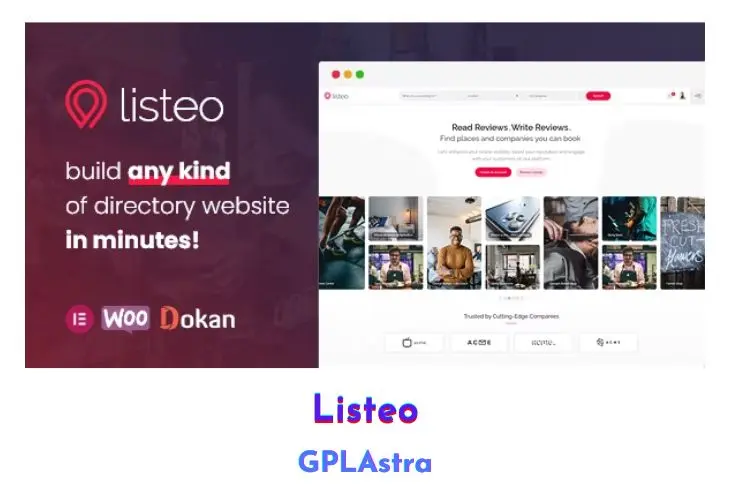
Listeo presents itself as the ultimate solution for creating a professional directory and classifieds website, boasting an array of powerful features designed to streamline the process. With its intuitive front-end user dashboard, built-in booking system, and private messaging functionality, Listeo offers a seamless experience for both administrators and users. Whether you aim to build a platform akin to TripAdvisor, Yelp, or Airbnb, Listeo provides the tools necessary to achieve this goal effortlessly.
The advanced booking system caters to various needs, allowing users to book accommodations, reserve spots at establishments like restaurants or car washes, and even purchase tickets for events, all managed through a user-friendly interface. Additionally, Listeo offers monetization opportunities, enabling website owners to charge for listing submissions, offer packages or subscriptions, and earn fees on every booking service, enhancing revenue potential.
Core Features of Listeo WordPress Theme
- User Dashboard for easy management of listings, bookings, packages, profile details, and private messages.
- Advanced Booking System with options for renting accommodations, reserving services, and purchasing event tickets.
- Monetization options including charging for listing submissions, offering packages or subscriptions, and earning fees on booking services.
- Various Map Providers including alternatives to Google Maps API such as OpenStreetMap, MapBox, and Bing Maps.
- Location autocomplete feature powered by OpenStreetMap for improved user experience without relying on Google API.
- Private Messaging system for communication between users and listing owners.
- Reviews functionality allowing users to add and manage reviews for goods and services.
- Automatic Notifications for important events such as bookings, payments, and listing expiration.
- One Click Demo Install for easy setup and content installation.
- Additional features include support for guest and owner user roles, Google reCAPTCHA, AJAX-powered search results, claim listing feature, integration with popular plugins like Revolution Slider and WP Bakery Page Builder, Contact Form 7 integration, over 2000+ icons available, and multiple listing list styles for customization.
What’s New (Changelog) in Listeo v2.2.4
2.0.45
Improvements
- The Listings Map (big map) now supports the new Yandex Maps provider from Listeo Core > Map Settings (requires Listeo Core with that option; the Yandex API and layer scripts are loaded by Core).
- The Listings Map (big map) now passes the new "Google Maps color scheme" setting from Listeo Core > Map Settings to the Google layer.
- The Listings Map (big map) now respects the new "Group nearby markers in clusters" toggle from Listeo Core > Map Settings, so marker clustering can be disabled without editing theme files. Requires Listeo Core with that setting; older Core versions keep clustering on.
- Admin assets now load on the new Addons and Core settings pages (for the Listeo Dashboard).
- Booking price breakdown collapsed-by-default support passed through to the booking widget.
- Bundled plugin versions updated (Listeo Core and add-ons).
- Added Listeo Dashboard / add-on card images.
Fixes
- The Listings Map (big map) now passes the configured Google Map ID to the Google layer, so Cloud-based map styles apply there as well. Only the search results and single listing maps were forwarding it. Requires Listeo Core 2.1.8 or newer, which forwards the Map ID to the Google map constructor. (Reported by a customer.)
- Author profile rating bars now include the actual criteria used by each approved review, so authors with listings that use different type or taxonomy criteria show accurate per-criterion averages.
- The WooCommerce payment (order pay) page now always shows the event date stored on the booking itself. Recurring events (Listeo Booking Plus) used to show the first date of the series instead of the picked occurrence, and single-date events could show the ORDER creation date combined with the event's correct start time whenever the listing's stored event date didn't parse under the site's current date format. The page now reads the booked date directly instead of re-parsing the listing's event date meta, which is kept only as a fallback for legacy bookings without a stored date. (Reported by a customer.)
- The WooCommerce payment (order pay) page no longer shows an empty "Extra Services:" heading for bookings that have no extra services (for example event listing types with add-on services disabled).
- The weDocs plugin (which Dokan's setup wizard installs automatically) no longer breaks the site's layout. weDocs registers Gutenberg block stylesheets that WordPress prints on every page of a classic theme, and several of them bundle a full Tailwind CSS reset that overrides Listeo's own styling (headings, lists, buttons, images and spacing site-wide). Listeo now removes the weDocs stylesheets everywhere except actual documentation content — single docs, the docs archive, docs tag pages, and any page using weDocs blocks or the [wedocs] shortcode — so the documentation pages keep their intended look while the rest of the site is unaffected. Developers can override the detection with the new listeo_is_wedocs_context filter.
- Mobile: selecting a date range in the booking calendar now works on touch devices (on iOS the end date was never registered, leaving the Apply button disabled so taps on it did nothing).
- Mobile: the two-month date range picker now opens as a fullscreen scrollable view on phones with the Apply/Cancel buttons always in view (previously it overflowed the screen and the buttons could be unreachable).
- The date range picker Apply button now looks visibly disabled until a full range is selected.
- Dark mode: the booking "Slots" editor on the add-listing/resource form now uses dark styling (slot cards, the "Slots" stepper, remove button and the empty-state message were rendering with light backgrounds).
- Dark mode: the "Bookable services" / pricing builder on the add-listing form now uses dark styling (the service item card and its "Basic service info" / "Booking & availability settings" panels, section titles, numbered badges, field labels and the remove button were rendering light).
- Dark mode: the "Mandatory Fees" repeater on the add-listing form now uses dark styling (the fee row card, the remove button and field text were rendering light/dark-on-dark).
- Minor admin and customizer cleanup.
Similar Themes