Divi Theme v5.18.0 + Premade Layouts Theme
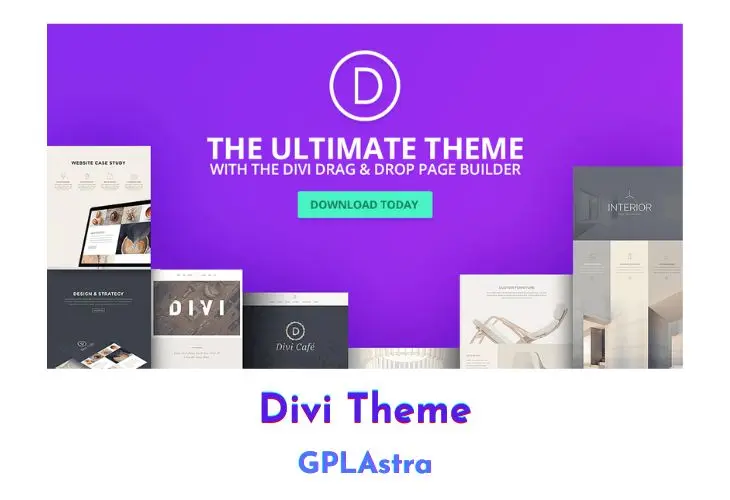
Divi by Elegant Themes is a standalone WordPress theme and visual page builder that replaces the default WordPress block editor with an interactive front-end design system. Operating on a React-powered visual grid, Divi allows web designers, agency developers, and site owners to build complex multi-column layouts, global headers, footers, and archive templates without touching theme template files. While developers often compare visual builders like Elementor Pro for widget flexibility, Divi provides a unified framework where the builder engine, theme customizer, and full-site design system operate within a single package.
Behind the interface, Divi structures pages into hierarchical sections, rows, and modules, allowing granular control over CSS flexbox rules, typography scales, dynamic custom fields, and device breakpoints. Because visual builders generate larger CSS stylesheets and inline asset bundles, pairing Divi with performance optimization tools like WP Rocket or script managers like Perfmatters ensures fast Time to First Byte (TTFB) and high Core Web Vitals scores. With built-in theme building conditions, global element syncing, and hundreds of pre-designed layout packs, Divi remains one of the most flexible foundations for client projects and custom WordPress builds.
Core Features of Divi Theme Theme
- Visual Drag-and-Drop Canvas: Construct pages directly on the front end with click-to-edit typography, draggable column borders, and real-time layout rendering.
- Integrated Theme Builder: Build global headers, footers, custom post templates, archive grids, and 404 pages using conditional assignment rules across post types and taxonomies.
- WooCommerce Modules: Build custom WooCommerce product pages, shopping carts, and checkout screens with dedicated Divi WooCommerce modules and dynamic data tags.
- Global Elements and Presets: Synchronize modules, rows, and section styles across multiple pages, propagating design updates automatically across the entire site.
- Divi Cloud and Preset Library: Save customized module presets and full-page layout packs to your local template library for rapid deployment across client projects.
- Granular Responsive Breakpoints: Customize padding, font sizing, display properties, and column order individually for desktop, tablet, and mobile displays.
- Custom CSS Control: Add custom CSS directly to module selector fields, pseudo-elements, before/after states, and responsive breakpoints with code auto-completion.
- Shape Dividers and Transition Effects: Add SVG shape dividers to section transitions and configure hover animations, scroll-based effects, and drop shadows without external graphics.
- Built-in Split Testing and Analytics: Run A/B split tests on headers, call-to-action buttons, or entire layouts with Divi Leads to measure user engagement and conversion rates.
- Role Editor and Permission Controls: Limit editing capabilities based on WordPress user roles to protect core theme settings and structural layouts from unauthorized modifications.
- Dynamic Custom Field Integration: Connect modules to WordPress post metadata, ACF fields, Meta Box properties, and post taxonomies for automated content rendering.
- Critical CSS and Asset Deferral: Generates localized critical CSS for above-the-fold content and defers secondary builder stylesheets to minimize render-blocking resources.
- Extendable Code Architecture: Supports custom third-party Divi modules, child theme templates, and standard WordPress hook actions for bespoke developer workflows.
- Custom Font and Icon Management: Upload custom web fonts in WOFF or TTF format and access the complete native library of scalable vector icons.
- Undo, Redo, and Revision History: Track design revisions within the visual builder session with unlimited undo history and direct rollback points.
- Bulk Editing and Multi-Select: Select multiple modules or rows simultaneously to apply shared styling rules, spacing adjustments, or CSS classes in a single action.
What’s New (Changelog) in Divi Theme v5.18.0 + Premade Layouts
version 5.18.0 ( updated 10-27-2026 )
- Added support for nesting number variables inside other number variables and CSS functions such as calc(), clamp(), min(), and max().
- Added variable math in supported number fields, including addition, subtraction, multiplication, and division.
- Added support for composing text variables from other text variables and static text.
- Added support for combining multiple text variables, dynamic content sources, and static text in ordinary and rich-text fields.
- Added individually editable chips for each variable or dynamic content source within a field.
- Added support for replacing, removing, or detaching individual chips without changing surrounding content.
- Added drag-and-drop reordering of chips within ordinary inline fields.
- Added support for inserting variables at the cursor and replacing selected text with a variable or dynamic content source.
- Added a {{ keyboard shortcut to open the variable picker in supported text, URL, and CSS number fields.
- Added readable nested-variable previews and tooltips.
- Enhanced variable search to match referenced variable names within composed values.
- Enhanced variable exports to include all directly and indirectly referenced variable dependencies.
- Enhanced Loop Builder content handling to preserve combinations of dynamic sources, variables, and static text.
- Improved variable-chip inheritance across responsive breakpoints and hover and sticky states.
- Added warnings for variable compositions that exceed resolution limits.
- Fixed an issue where a custom HTML event handler saved in a global preset could appear on modules that did not have that handler.
- Fixed a permission issue that allowed users to change, copy, or delete AI commands saved by someone else.
- Fixed product images appearing twice in shop loops when using WooCommerce image-swap plugins.
- Fixed ACF Options Page custom fields not displaying on the frontend when used with Dynamic Content in Divi 5.
- Fixed Video module fullscreen mode breaking on Android when a different video was set for phone breakpoints, because responsive MultiView updates were resetting the player on resize.
- Fixed an issue where a user who can edit posts could add, rename, or delete Divi Library categories and tags.
- Fixed the Inspector showing text style controls instead of box shadow presets when editing box shadow on a module.
- Fixed a security issue that let Contributors change the site's default color palette.
- Fixed an issue where password-protected content could be copied into another post by a user who did not know the password.
- Fixed the Grid Editor remaining open after saving or closing preset settings.
- Fixed a security issue where the Divi 5 Migrator could be used to convert or roll back posts a user didn't have permission to edit.
- Fixed a permission issue that allowed visitors to view published Divi Library layouts that are not intended to be publicly accessible.
- Fixed a stored XSS vulnerability where HTML saved in a Tabs module's tab titles was rendered unescaped in the tab navigation.
- Fixed an issue where Group Carousel clone and off-screen slides could still receive keyboard focus while hidden from screen readers, causing accessibility audit failures and incorrect link activation.
- Fixed catalog-hidden WooCommerce products appearing in Loop Builder results.
- Fixed Theme Customizer background color realtime preview and published output on Latest Posts home and Gutenberg pages.
- Fixed background videos in Tabs so they size correctly when the tab first becomes visible.
- Fixed SVG Image modules ignoring preset width settings in the Visual Builder and front end.
- Fixed Blurb image and icon placement from newly created or updated option group presets in the Visual Builder.
- Fixed Contact Form grid settings applying the column layout twice and shrinking the form fields.
- Fixed bare paragraph tags disappearing while typing in the Text module's Text editor.
- Fixed Theme Builder post layouts breaking when reloading a stale Visual Builder URL after switching the post to Gutenberg.
- Fixed translated Divi Library import/export buttons overlapping the export checkbox.
- Added regression coverage for WooCommerce looped price decimal formatting.
- Fixed sticky-state custom CSS for Menu and Fullwidth Menu modules inside sticky parent elements.
- Fixed misaligned attribute field controls when editing Components.
- Fixed Contact Form layouts showing backwards compatibility mode after Divi 5 migration.
- Fixed Filterable Portfolio custom CSS for filters, active filters, images, and post metadata.
- Fixed sticky standard posts appearing in Blog modules displaying custom post type archives.
- Fixed dynamic content failing to render ACF fields whose names begin with an underscore.
- Fixed Text modules becoming uneditable after saving and reopening an embedded Theme Builder layout.
- Fixed Post Slider featured backgrounds not filling a custom minimum height.
- Fixed imported legacy layout presets losing their styles during conversion.
- Fixed Menu module front-end font size ignoring Theme Customizer body text size when no custom menu font size was set.
- Fixed copying an option group preset between compatible groups with different attribute paths.
- Fixed imported option group presets losing their assignments on modules.
- Fixed the Custom CSS color picker becoming unresponsive or losing color updates after repeated selections.
- Fixed Divider line centering and the extra gap below bottom-aligned lines.
- Fixed an enabled Save action inside newly added Component Slots that could freeze the Visual Builder.
- Fixed Pagination's WP-PageNavi current-page label using different box geometry from numbered links.
- Fixed the Choose Files button dropping below the filename field in Divi import dialogs.
- Improved AI Agent token efficiency for page content reviews and storytelling suggestions by making compact text discovery available automatically.
- Fixed appended global canvases disappearing when SEO plugins generated automatic excerpts before rendering the page.
- Fixed Post Filter select placeholders so ACF field labels display correctly for logged-out visitors.
- Fixed appended canvas visibility styles hiding Theme Builder headers on archive pages.
- Fixed Slider automatic animation timing after hover and browser visibility changes.
- Fixed the missing Gradient Position control for Conical gradients in the Gradient Picker.
- Fixed Blog element preset pagination text colors not appearing in the Visual Builder.
- Fixed fixed-position canvas content leaking over Canvas Grid previews after reopening a Theme Builder header.
- Fixed keyboard navigation resetting the selected editing state when switching between module settings.
- Fixed Divi AI Agent login when the WordPress Site Title is longer than 255 characters.
- Fixed an issue where Theme Customizer button text and border color pickers reset to white instead of the theme primary accent color.
- Fixed draggable items escaping the Visual Builder left-panel content area when moved horizontally.
- Fixed background blend mode not working when parallax effect is enabled with background image and color or gradient. The blend mode now correctly applies to the parallax background element in both Visual Builder and frontend, and the background image and blend mode are properly rendered on the wrapper element for mobile device support.
Similar Themes
Free Download Divi Theme Latest Version
Divi Builder Premade Layouts Free Download
You can download Divi Builder premade .JSON layouts and templates from the below links:
https://mega.nz/folder/l19SSYQL#U7vpCqNdaIlZ64wxfcWQ2g
How to Install and Safely Upgrade Divi Theme
Step 1: Upload the Divi Theme Package
In your WordPress admin dashboard, navigate to Appearance > Themes > Add New > Upload Theme. Select the downloaded Divi.zip file, click Install Now, and wait for the upload to complete.
Step 2: Activate Divi and Create a Child Theme
Click Activate once installation finishes. If you plan to add custom PHP functions or template overrides, create and activate a lightweight Divi child theme so future parent theme updates never overwrite your custom code.
Step 3: Configure Theme Options and Performance Settings
Navigate to Divi > Theme Options. Under the General > Performance tab, verify that Dynamic CSS, Critical CSS, and Dynamic Module Framework options are enabled to ensure fast asset delivery.
Step 4: Import Premade JSON Layouts
To use premade layout packs, go to Divi > Divi Library, click the Import & Export button at the top of the screen, select the Import tab, and upload your chosen .json layout file. The templates will immediately become available inside the visual builder.
Step 5: Safely Upgrading to Newer Releases
When an update is released on GPLAstra, download the new theme archive. Navigate to Appearance > Themes > Add New > Upload Theme, select the updated zip file, and click Replace current with uploaded. Your website pages, theme builder templates, and custom styling reside in your database and remain completely unaffected.
Frequently Asked Questions (FAQ)
Is Divi a WordPress theme or a page builder plugin?
Divi is primarily a complete standalone WordPress theme that includes the built-in Divi Visual Builder. Elegant Themes also offers a separate Divi Builder plugin for third-party themes, but this package provides the primary full-featured theme.
Will updating Divi overwrite my custom layouts or website content?
No. Page layouts, library items, Theme Builder templates, and theme options are stored in the WordPress database (within wp_posts and wp_options). Replacing the theme files updates only the theme codebase without altering database content.
How do I import the premade JSON layout packs included with this download?
Extract the layout zip file on your local machine to access the individual .json templates. In your WordPress admin, open Divi > Divi Library, click Import & Export, upload the JSON file, and then load it directly into any page through the builder’s “Add From Library” tab.
Can I use Divi Builder on custom post types?
Yes. Navigate to Divi > Theme Options > Builder and toggle on any custom post types (such as portfolios, products, or custom post types created with ACF or Meta Box) to enable the visual builder for those content types.
How do I optimize Divi for Google Core Web Vitals and speed?
Enable Divi’s native performance toggles (Critical CSS, Dynamic Module Framework) under Divi > Theme Options. Pair the theme with page caching plugins like WP Rocket or asset optimization tools like Perfmatters to defer unused JavaScript and optimize images.