Astra Pro v4.13.12 WordPress Theme
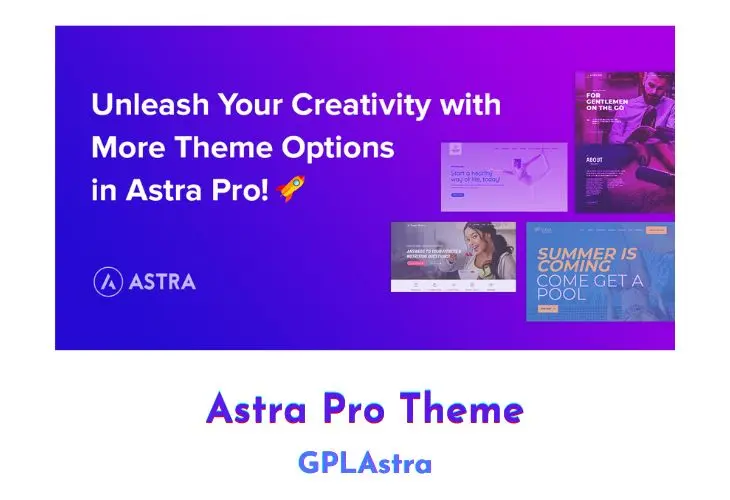
Astra Pro is a multipurpose WordPress theme that can be used for many purposes, e.g. booking, blog, portfolio etc. It comes with a unique design and smooth animations that make it perfect for business & entertainment sites. Astra Pro theme is completely responsive, looks great on all devices and comes with tons of colour options so the user can customize their website to fit their needs exactly.
Core Features of Astra Pro WordPress Theme
- Multiple site layouts options
- 800+ Google fonts support and multiple typography options
- Colour customization setting for every section
- Various header options – sticky, transparent, below header content, after header content
- Multiple columns footer area
- Exclusive features for the Woo-Commerce site.
- LifterLMS integration
- LearnDash integration
- Megamenu
- Full spacing control of site elements
- Hooks and filter support
- Integration with multiple page builder plugin
- Ready to use premium website designs
- Scroll to the top link
- No jQuery code used
- Loads very fast
- Mobile header support
- Fluid layout
- Allow using Custom fonts
- Grid layout
- List Layout
- Highlight first post
- Date box
- Infinite scrolling
- Custom 404-page design
- Custom Hooks
- Schema markup ready
What’s New (Changelog) in Astra Pro v4.13.12
2026-10-29 - version 4.13.12
* Improvement: Site Builder - Scripts and styles now load only on the Site Builder page, so other WordPress admin screens load faster.
* Improvement: WooCommerce - The Two Step Checkout page no longer loads an unused slider script, reducing requests on the checkout page.
* Improvement: Performance - The addon no longer makes a blocking WP-Cron loopback request on every admin and frontend page load, avoiding a delay when the site can't reach its own URL.
* Improvement: Astra Pro no longer relies on jQuery Migrate on the front end, so it can be removed for faster page loads and better Lighthouse scores.
* Fix: Site Builder - Elementor Pro Theme Builder templates, such as a Single Post template, lost their Atomic Widgets styles on posts that also display a Site Builder layout.
* Fix: WooCommerce - Variation gallery images and thumbnails now update with the Horizontal and Vertical Slider product gallery layouts on WooCommerce 10.8 and later.
* Fix: WooCommerce - Fixed Modern Checkout mobile order summary issues: cut-off content, repeated refresh on shipping change, and wrong button label after clicking the login link.
* Fix: WooCommerce - Modern Checkout shipping method names could not be selected on desktop.
* Fix: WooCommerce - Modern Checkout fields no longer become unresponsive on mobile in some multi-vendor marketplace setups such as Dokan.
* Fix: WooCommerce - A PHP warning no longer appears on the Modern Checkout page when a checkout field added by a plugin or custom code has no label set.
* Fix: WooCommerce - Two Step Modern Checkout no longer blocks valid emails with a plus sign, apostrophe or longer domain ending like .info, so shoppers can reach step 2.
* Fix: WooCommerce - Quick View no longer shows the short description of a password-protected product to visitors without the password; the password form appears instead.
* Fix: Page Headers - A page header with a background image no longer produces invalid ARIA markup that failed Lighthouse and axe accessibility audits.
* Fix: LearnDash - The Display Student's Gravatar in Primary Header option no longer shows in the Customizer when the Header Builder is active.
* Fix: LifterLMS - The Enable Header Profile Link option no longer shows in the Customizer when the Header Builder is active.
* Fix: A fatal error no longer occurs on sites where a plugin such as AppPresser switches the active theme for app requests, so those pages load normally again.
* Security: Site Builder - Visitors and non-admin users can no longer read layouts or their display rules through the REST API, search, RSS feeds or archive URLs.
Similar Themes
Free Download Astra Pro Latest Version
Installation Guide
Astra Addon Pro is a WordPress plugin that converts Astra free theme into a premium version and enhances its features so install it as a plugin.
Please update 4.8.9
v4.8.8 please.
Please update it
Please update it to latest version v4.8.7
Please update it to latest version v4.8.6
Please update to v4.8.6 Thx
Please update to v4.8.5 Thx
4.8.5 please
4.8.4 please
The package could not be installed. The theme is missing the style.css stylesheet.
Please, Install it as a plugin!
Please update to v4.8.3. Thx
Update
Update to the latest version 4.8.3 please
Please update to v4.8.2 Thx
Where is 4.8.0 ?
Every time when there’s an update, I’ll need to download the new version of Astra Pro from here, delete the version that’s currently installed on my wordpress website, and then install the new version that I downloaded from here. By doing this, won’t I lose all my work and settings that I had previously for Astra Pro? Will I need to start making all the changes again for Astra Pro in my website? Please let me know about this.
No, you dont have to delete your existing installed version from the site. You just need to download the updated version from here and install over it again, it will be updated successfully and you won’t loose any data.
Great site and excellent team. Thank you. I recommend this site.
please this is the plugin not the main theme can you upload the theme?
Yes, you can download it from here: https://wordpress.org/themes/astra/
Installing theme from uploaded file: astra-addon.4.6.0.zip
Unpacking the package…
Installing the theme…
The package could not be installed. The theme is missing the style.css stylesheet.
Theme installation failed.
Please Install it as a plugin.
Please update version
This one is not license activated, please update.
It’s just showing “License not activated” but all Pro features is working!!