Astra Premium Sites v4.7.10 Plugin
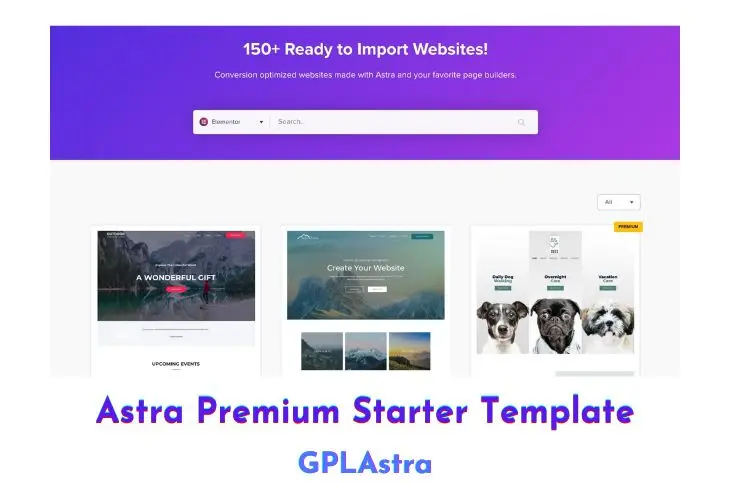
Astra Premium Sites (Astra Premium Starter Templates) Plugin makes it easier for you to build websites in minutes and get started on your business right away. It’s a WordPress plugin that allows you to import pre-built websites & templates within a single click, directly from your WP dashboard.
Core Features of Astra Premium Sites Plugin
- An improved and easier template search option.
- Filters that let you pick templates of a specific page builder.
- Ability to mark your favourite templates.
- An easier way to fetch the latest templates with a single click.
- Ability to import individual pages to mix-n-match and build websites.
- Option to inherit theme settings while importing a template.
- Image search to import images from Pixabay through the WordPress Media Library.
- Import ready Elementor blocks and templates through the page builder itself!
What’s New (Changelog) in Astra Premium Sites v4.7.10
v4.7.10 - 29th-October-2026
- Improvement:
- WooCommerce and Elementor are now set up ahead of the plugins that depend on them during website setup.
- The progress bar on the plugin setup step no longer jumps ahead and then back.
- AI Builder: Blocks a build upfront when your site's PHP or WordPress version is below a required plugin's minimum, instead of failing midway.
- Fix:
- Plugins that are already active no longer briefly show as "Activating" during website setup.
- Reloading the page after choosing a template no longer ends in a "No route was found" error; the chosen template is loaded again.
Similar Plugins
Fake link… pay link
Please updtae it to 4.4.9
please update to 4.4.7.
please update 4.4.7
Every time when there’s an update, I’ll need to download the new version of Astra Premium Sites plugin from here, delete the version that’s currently installed on my wordpress website, and then upload and install the new version that I downloaded from here? By doing this, won’t I lose all my work that I did using the premium template to build my website? Please let me know about this.
Yes, you won’t loose any data & customization.
update 4.3.6
Thank you for providing this plugin.
I installed this plugin. After 2 days there was an update. I tried to update it but it says “Update failed: Download failed. Forbidden”. Will I need to manually delete the plugin from my wordpress, download the new version from here and again upload the plugin in my wordpress? Will I need to do this every time when there’s an update?
Yes, OFC!
Please update version
Could you please provide license key?
Could you please provide license key? I get asked for a key when I try to import demo content.
Please update to latest 3.5.5
Wow, thanks alot. Been looking for this for a long time. It worked perfectly fine. Thanks